


3D Bowling
4.785.94K Reviews
App Specs
- Version
- 4.3
- Updated On
- License
- Free
- Downloads
- 100,000,000+
- Developer
- Italic Games
- Categories
- Sports
- Platform
- Android
Screenshots
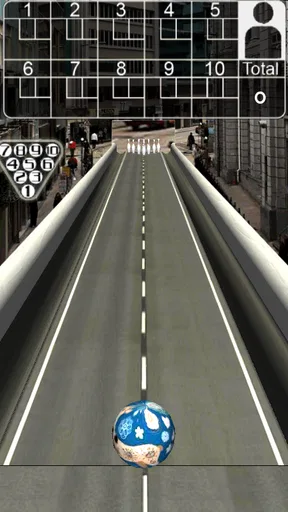
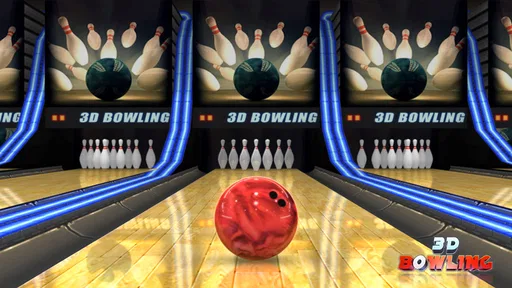
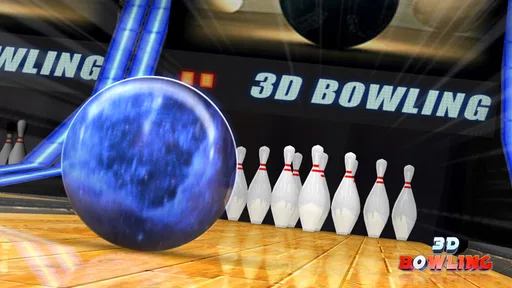
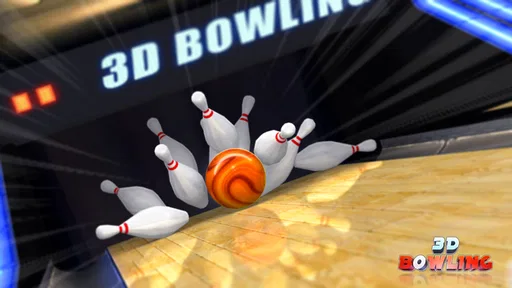
 Analysis by AppCompare
I find 3D Bowling easiest to enjoy when I treat it as a quick, low-pressure way to roll a few frames rather than a full substitute for a night at a real alley. The simple swipe controls make the first game approachable, but the feel of a roll still takes a little practice. If a shot misses, I can try another instead of wrestling with a complicated setup. That makes this bowling game a handy choice for a short break, a quiet wait, or a casual turn-taking session with someone nearby.
Where a first game can feel awkward
The main adjustment is learning how your swipe affects the ball. A rushed gesture can send a shot somewhere you did not intend, and early misses may feel less like bowling skill and more like unfamiliar touch controls. I recommend beginning with deliberate, repeatable motions rather than trying to force a strike with a dramatic swipe. Keep your finger movement consistent for a few turns; that gives you a better sense of what the controls are doing.
It also helps to separate the result from the input. A pin scatter can look lively, but one good-looking collision does not mean every similar roll will behave the same way. I would use the opening games to notice the relationship between the gesture and the ball’s path, not to judge myself by the score alone. That small change in approach makes the learning curve feel fairer.
Simple checks before you settle in
Because this is a touch-controlled game, a clean screen and an unobstructed grip can make a difference to how comfortable a swipe feels. If a roll seems inconsistent, first try a slower gesture and make sure your finger is not starting from the edge of the display. Those are sensible checks for any swipe-based game, and they are more useful than assuming the physics have suddenly changed.
It is also worth checking that your device meets the game’s basic software requirement before installing. The current version is 4.3, and it requires Android 5.0 or later on Android. Italic Games makes this free sports game, which is rated for Everyone. Its average rating is 4.7 from around 1.2 million ratings, and it has passed 100 million installs. Those figures suggest that it has reached a broad audience, though popularity alone cannot tell you whether its uncomplicated style is right for you.
Hitting the Lanes: Gameplay and Features
So, what's the deal with 3D Bowling? Right off the bat, the game impresses with its straightforward interface. You don't need to spend ages figuring out how to play; it's as simple as swiping your finger to roll the ball. The controls are intuitive, making it easy for anyone to jump in and start striking down those pins.
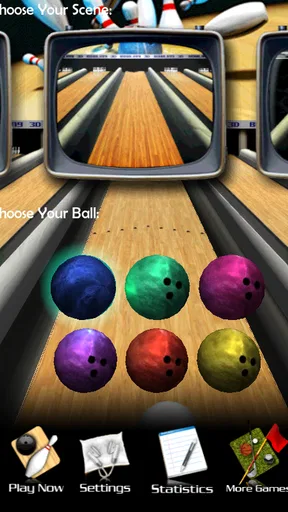
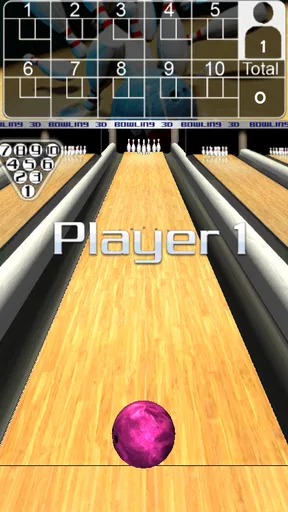
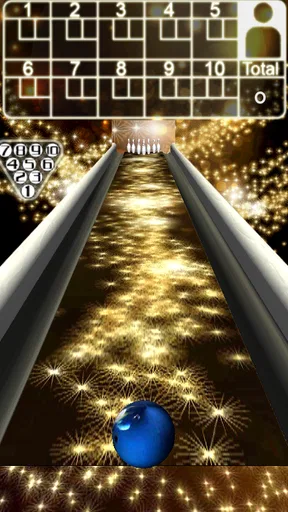
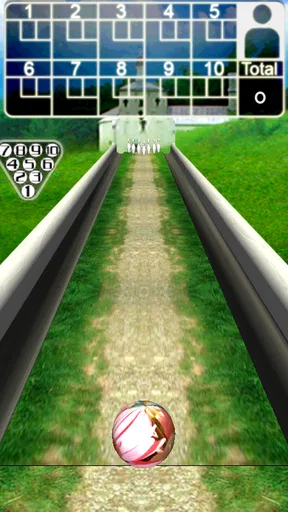
The game features several bowling alleys, each with its unique design and atmosphere. You can roll in a traditional alley, or if you're feeling adventurous, try out some of the more exotic themes. It's a nice touch that keeps things fresh and engaging. Plus, the physics engine is quite decent, offering a realistic ball motion that adds to the overall experience.
Worth Reading Before You Choose

Baby Panda World Brings Quick Play to Modern Phones, but Its Game Library Feels Busy

ESPN’s Live Game View Makes Following Close Games Easier

QuizzLand Review: A Good Fit for Short Trivia Breaks, Not Every Player

Basketball Stars: Multiplayer Is Fast, but Can It Recover When Matches Go Wrong?

WEBTOON Turns Phone Updates Into a Better Reading Routine

Link to Windows Runs on Shared Habits, Not Social Feeds
Visuals and Soundtrack
Visually, 3D Bowling doesn't disappoint. The graphics are crisp, and the 3D effect gives it a nice depth. Even though it's not the most graphically intense game on the market, it delivers a clean and pleasant visual experience. The lanes are vibrant, and the pins react realistically when hit, which is always satisfying to watch.
The sound effects add another layer of immersion. The clatter of pins, the whoosh of the ball, and the subtle background music create an authentic bowling ambiance. It's the little things that make you feel like you're really at the alley.
A useful way to fit it into the day
One good everyday use is a short pause between tasks: I can play a quick round while waiting for a kettle to boil or for a ride to arrive, then put the phone away without needing to remember a story or a long sequence of objectives. The appeal is the immediate rhythm of aiming, rolling, and seeing what happens. It is also easy to pass the phone around and let friends or family take turns, especially when everyone is happy to focus on scores rather than a deep competitive system.
For a more deliberate session, I would treat each frame as practice in consistency. Repeat a comfortable swipe instead of changing direction and force after every miss. That gives you a clearer sense of whether a result came from your technique or from a one-off bounce. It is a small discipline, but it makes casual play feel more rewarding and helps avoid the unhelpful habit of chasing a perfect roll with increasingly erratic gestures.
Challenge and Replayability
If you're worried about getting bored, fear not! 3D Bowling offers a variety of challenges to keep you coming back for more. Whether it's competing against the AI or trying to beat your own high scores, there's always a reason to play another round. The game also includes a leaderboard feature, so you can compare your scores with players around the world. It's a great way to test your skills and aim for the top spot.
What's more, the game doesn't demand constant attention. It’s perfect for quick sessions when you need a short break or have a few minutes to spare. This makes it a fantastic choice for casual gamers who love bowling but have a busy schedule.
How it compares with other bowling games
Compared with bowling games that lean on elaborate progression, detailed customization, or a more involved competitive structure, this one is strongest when you want to get to the lane quickly. Its direct swipe-and-roll approach puts the physical action first. That is a real advantage when you have only a minute or two, but it also means players looking for a long-term career mode, deep equipment choices, or highly tactical competition may prefer a different bowling title built around those priorities.
It is also distinct from arcade-style sports games that make every shot feel exaggerated or heavily themed. The presentation here aims for a recognizable lane and pin action, so the pleasure comes from the simple result of a roll rather than a busy layer of effects. If you want a playful, quick bowling diversion, that restraint suits the format. If you want a close simulation of league play, the touch-screen format and simplified controls are still compromises.
Recovering from a frustrating session
If a game seems to stop responding as expected, I would first pause and check the basics: whether the screen is registering touches normally, whether another app is competing for attention, and whether the game has been left running in the background for a long time. Closing and reopening it can be a reasonable general step if the interface appears stuck. I would avoid repeatedly tapping during a slow response, since that makes it harder to tell whether the original input registered.
If the problem is only that a run of rolls feels poor, restarting is not necessarily the best fix. Take a moment to reset your grip and use the same measured swipe again. If the game behaves normally in other parts of the interface, the issue may simply be the learning curve or an inconsistent gesture rather than a fault. For broader device trouble, checking that the operating system is supported and that the phone is responding properly to touch is a more useful first move than blaming the bowling physics.
Accessibility and User Experience
One of the standout aspects of 3D Bowling is its accessibility. The game is available for free on both Android and iOS, which is always a plus. It's a lightweight app, so it won't take up much space on your device, and it runs smoothly without any major hiccups.
The developers have kept it simple, focusing on delivering a fun and easy-to-play game without unnecessary complications. This user-friendly approach makes it a hit with players of all ages. Whether you're a seasoned gamer or just looking to kill some time, 3D Bowling caters to everyone.
Who will enjoy it—and who may not
I would recommend it to someone who likes bowling, wants a game that is quick to understand, or needs a light distraction that can be picked up and put down. It can also work well for mixed-age households because the basic action is easy to explain, and the Everyone rating reflects that broad suitability. The many installs and substantial number of player reviews show that it is an established choice, but they should not be mistaken for proof that every player will enjoy its pace.
I would skip it if you need a richly layered sports game, a precise substitute for real bowling technique, or a strong reason to play for long sessions. The limited depth that makes it easy to start can also leave a player wanting more once the novelty of the lanes and pin collisions wears off. For a social night built around serious competition, an actual bowling alley—or a game designed specifically for deeper multiplayer play—will serve better.
Final Thoughts
All in all, 3D Bowling is a delightful game that brings the joy of bowling to your mobile device. It's not going to blow your mind with groundbreaking graphics or complex gameplay, but it excels in delivering straightforward, enjoyable entertainment. The combination of realistic physics, vibrant graphics, and easy controls makes it a must-try for any bowling enthusiast.
So, if you're ready to knock down some pins and have a blast doing it, give 3D Bowling a shot. It's a fantastic way to unwind, challenge yourself, and enjoy a little piece of the bowling action wherever you are. Happy bowling!
Pros
- Realistic physics enhance gameplay.
- Simple controls make it accessible.
- Visually appealing graphics.
- Variety of bowling alleys available.
- Free to play with optional purchases.
Cons
- Ads can be intrusive at times.
- Limited customization options.
- Occasional lag on older devices.
- Lacks multiplayer mode.
- Sound effects are repetitive.
FAQs for 3D Bowling
What features does 3D Bowling offer?
3D Bowling offers a realistic bowling experience with stunning 3D graphics and physics. Players can enjoy various bowling alleys, multiple balls to choose from, and several game modes. The game also features leaderboards, allowing players to compete with friends and other players globally. It's designed to be easy to play but challenging to master.
Is 3D Bowling free to play?
Yes, 3D Bowling is free to download and play. However, it may contain in-app purchases and ads. These purchases can enhance the gameplay experience by unlocking additional features or customizing options. Players can choose to play without spending money, but optional purchases can provide a more personalized experience.
What are the system requirements for 3D Bowling?
3D Bowling requires a device running on Android or iOS. For Android, it typically requires version 4.1 or higher, and for iOS, version 9.0 or later is recommended. The game is designed to run smoothly on most modern smartphones and tablets, ensuring an enjoyable gaming experience for all users.
Can I play 3D Bowling offline?
Yes, 3D Bowling can be played offline. This makes it a great option for those who want to enjoy a game while on the go without needing an internet connection. However, some features, such as leaderboards and certain updates, may require an internet connection to function properly.
Does 3D Bowling have multiplayer options?
3D Bowling primarily offers a single-player experience, focusing on personal skill improvement and achieving high scores. However, players can compare their scores via leaderboards, fostering a sense of competition. While it doesn't support direct multiplayer modes, the competitive aspect through global rankings adds a social element.


